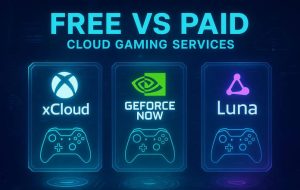
If you’re researching cloud gaming platforms compared head-to-head, the short answer is this: no single service wins for every user, because performance depends on factors largely outside your control. Cloud gaming streams titles on demand from remote servers, so you can play across devices with saved progress and skip expensive hardware upgrades [2]. But even as of 2026, reviewers caution that streaming quality remains unpredictable, shaped by game optimization, provider hardware capacity, and your home network’s bandwidth, latency, and jitter [2]. This guide breaks down the major US-available services, what they cost, and how to choose the right fit for your library, budget, and internet connection.
What Cloud Gaming Is and How It Works
Cloud gaming, sometimes called game streaming, runs the game on a powerful remote server and sends the video output to your screen while transmitting your controller inputs back to the server. The model eliminates the need for a high-end gaming PC or current-generation console and lets you resume play across phones, tablets, browsers, smart TVs, and laptops with cloud-saved progress [2].
The trade-off is that you are now dependent on the internet path between you and the data center. Three network metrics matter more than raw download speed: bandwidth (how much data per second), latency (round-trip delay measured in milliseconds), and jitter (variation in latency). According to reviewers at Wirecutter, faster internet alone does not guarantee a better experience, because performance is also gated by how well a particular game has been optimized for streaming and how loaded the provider’s servers are at any given moment [2].
For US readers, that means a household with gigabit fiber in a major metro can still see hitches during peak hours, while a well-tuned 100 Mbps connection close to a data center may feel flawless.
The Major Cloud Gaming Platforms at a Glance
The current US-relevant landscape centers on six services, each with a distinct model:
- NVIDIA GeForce Now — bring-your-own-library streaming for PC games you already own on Steam, Epic, GOG, and other stores, with top tiers supporting up to 4K resolution and 240 FPS [5][9].
- Xbox Cloud Gaming (via Game Pass Ultimate) — subscription service streaming a rotating Game Pass catalog, including first-party Xbox titles [5][8].
- PlayStation Plus Premium — Sony’s subscription tier that includes streaming access to a curated library of PlayStation games [5][7].
- Amazon Luna — channel-based subscription service available in the US, integrated with Prime benefits [8].
- Boosteroid — an affordable third-party platform offering AAA titles, with annual plans starting at €7.49 per month [3].
- Shadow PC — rather than a game library, Shadow rents you a full Windows cloud PC you can use for gaming and general computing, starting at €32.99 per month [3].
The choice between them ultimately hinges on three variables: latency, price, and game-library flexibility [6].
Cloud Gaming Platforms Compared: Side-by-Side
| Platform | Model | Library | Top Specs | Starting Price |
|---|---|---|---|---|
| GeForce Now | Bring-your-own-games | Supported titles from Steam, Epic, GOG [5][9] | Up to 4K / 240 FPS [5][9] | Tiered, free option available |
| Xbox Game Pass Ultimate | Subscription catalog | Game Pass library, including first-party Xbox [5][8] | Console-class streaming | Monthly subscription |
| PlayStation Plus Premium | Subscription catalog | Curated PlayStation library [5][7] | HD streaming | Monthly/annual subscription |
| Amazon Luna | Channel subscriptions | Themed channels; Prime perks [8] | HD streaming | Monthly subscription |
| Boosteroid | Third-party streaming | AAA titles, supported list [3] | HD/Full HD streaming | From €7.49/mo annual [3] |
| Shadow PC | Full cloud PC rental | Anything you install [1][3] | Dedicated cloud PC | From €32.99/mo [3] |
Note that euro pricing reflects how some providers list rates internationally; US dollar pricing on official sites typically tracks closely. Always confirm at checkout, as plans and regional availability can shift.
Pricing and Value for US Subscribers
Pricing strategy is one of the clearest dividing lines among cloud gaming platforms compared on value. Subscription-first services like Xbox Game Pass Ultimate and PlayStation Plus Premium bundle a large catalog into a single monthly fee, which can be the most cost-effective path if you would otherwise buy several full-priced games per year [5][7]. Boosteroid pitches itself as a budget-friendly alternative for AAA streaming, with annual plans starting at €7.49 per month [3].
GeForce Now uses a different math: the service itself is comparatively inexpensive at higher performance tiers, but you still need to purchase or already own each game on a supported store [5][9]. For someone with a deep Steam backlog, that can be a major savings; for someone starting fresh, the cumulative cost climbs quickly.
Shadow PC sits at the premium end at €32.99 and up per month, but you are paying for a complete remote Windows machine you can use for productivity, modding, and any storefront, not a curated catalog [1][3]. Budget-conscious US users should map their actual gaming habits — how many new releases per year, which storefronts, how often they play — before locking into an annual plan [1].
Performance, Latency, and Internet Requirements
Performance is where cloud gaming lives or dies. Reviewers consistently flag latency, bandwidth stability, and jitter as the variables that determine whether a session feels responsive or frustrating [2][6]. Competitive shooters and fighting games are the most sensitive; turn-based strategy and single-player adventures are the most forgiving.
A few practical guidelines hold across services in the US market:
- Use a wired Ethernet connection where possible. Wi-Fi, especially on the 2.4 GHz band, introduces jitter that can cause input lag spikes.
- Test during your actual play hours. Evening congestion in dense US metros can degrade what looks like a fast connection during a midday speed test.
- Free trials and short subscriptions are the only reliable benchmarks. Because game optimization and server load vary, the only way to know if a service works for your home is to try it [2].
- Closer data centers usually win. Coverage maps from each provider differ, and rural US users may see meaningfully higher latency than coastal users.
Faster internet helps, but it is not a guarantee — a 50 ms ping to a nearby server typically beats a gigabit connection routed through a distant region [2].
What Experts Recommend
Across professional reviews, the consistent expert position is that buyers should match the service to their existing library and play patterns rather than chasing a single “best” platform [1][2][6]. Reviewers emphasize that the unpredictability of streaming quality makes a one-size-fits-all recommendation unrealistic even now [2].
For users who already own a substantial PC game collection on Steam, Epic, or GOG, GeForce Now is widely recommended because it leverages those purchases rather than locking players into a new ecosystem, and its top tiers reach 4K and 240 FPS performance targets [1][5][9]. Console-leaning households often get the strongest value from Xbox Game Pass Ultimate or PlayStation Plus Premium, since the streaming feature complements catalogs they would subscribe to anyway [5][7].
For those who want full control — installing any launcher, modding games, or using the cloud machine for work — Shadow PC is the recommended pick despite its higher price, because it is fundamentally a different product: a complete remote PC rather than a streaming service [1][3]. Budget-focused users are advised to evaluate Boosteroid and to compare subscription pricing carefully against actual usage [1][3].
How to Choose the Right Cloud Gaming Service
Use this decision framework before subscribing:
- Audit your existing library. If most of your games live on Steam, Epic, or GOG, GeForce Now’s bring-your-own-games model avoids re-buying [5][9].
- Identify your platform loyalty. Xbox-first players gain the most from Game Pass Ultimate; PlayStation-first players from PS Plus Premium [5][7].
- Set a monthly budget. Compare the all-in cost — subscription plus any individual game purchases — against what you actually spend on games today [1].
- Test the network. Run latency and jitter checks at the time you typically play, not just during off-peak hours.
- Use trials. Because performance is variable, a one-month trial is the most reliable signal you will get [2].
- Consider a cloud PC if flexibility matters. Shadow PC is the right answer when you want to install anything, mod freely, or use the same machine for non-gaming tasks [1][3].
This sequence helps you avoid paying for catalog overlap or for a tier whose performance benefits you cannot actually use on your connection.
Frequently Asked Questions
References
- Are Cloud Gaming Services Worth It: Pros, Cons, and Best Platforms Compared — TechTimes
- The Best Cloud Gaming Services — Wirecutter (NYT)
- Best Cloud Gaming Services: All Top Platforms Compared — Cloudbase
- Cloud Gaming Platforms Compared: Xbox, GeForce Now, PS Plus, Luna, and Boosteroid — The Tech Basket
- 5 Best Cloud Gaming Services — Cloudwards
- Best Cloud Gaming Services: Compare Latency, Price, and Game Libraries — TechTimes
- Cloud Gaming Platforms Compared: Ultimate Guide to Streaming Games Anywhere — Findsun
- Best Cloud Gaming Services: Xbox Game Pass, GeForce Now and More — CNET
- The Best Cloud Gaming Services — Tom’s Guide
Frequently Asked Questions
- Which cloud gaming service is best for someone who already owns games on Steam?
- GeForce Now is the strongest fit because it lets you stream PC games you already own from supported stores including Steam, Epic, and GOG, rather than requiring you to buy into a separate catalog [5][9]. Higher-tier plans support up to 4K resolution and 240 FPS, which makes it competitive with mid- and high-end gaming PCs for supported titles [5][9]. The catch is that not every game on every storefront is supported, so check the compatibility list for the titles you actually play before subscribing. If most of your library is supported, the value is hard to beat.
- What internet speed do I really need for cloud gaming in the US?
- Most providers list minimum recommended speeds, but reviewers stress that raw speed is not the main factor. Latency, jitter, and how close you are to the data center matter just as much, and faster internet does not automatically guarantee better performance [2]. A stable 50–100 Mbps connection on wired Ethernet, with consistent low ping to your provider’s nearest server, often outperforms a gigabit Wi-Fi setup with high jitter. Test during the hours you actually play, since US evening peak congestion can sharply change results. If possible, use a free trial to validate real-world performance before committing.
- Is Xbox Game Pass Ultimate or PlayStation Plus Premium a better cloud gaming value?
- Both are subscription-first services, and the better value depends on which ecosystem matches your taste [5][7]. Xbox Game Pass Ultimate includes streaming access to a broad rotating catalog and Microsoft’s first-party titles, which appeals to players who like a constantly refreshed library [5][8]. PlayStation Plus Premium emphasizes a curated PlayStation library and is the natural pick for fans of Sony’s first-party franchises [5][7]. Compare the games you actually intend to play in the next three to six months on each service’s current catalog. The right answer is whichever lineup overlaps most with your wishlist.
- How is Shadow PC different from services like GeForce Now or Xbox Cloud Gaming?
- Shadow PC rents you a complete Windows cloud computer rather than streaming from a fixed game catalog [1][3]. That means you can install any storefront, including Steam, Epic, Battle.net, or GOG, plus mods, emulators, and even non-gaming software, just as you would on a physical PC. Plans start at €32.99 per month, which is significantly higher than typical streaming subscriptions [3]. Choose Shadow if you want full flexibility or use the machine for productivity in addition to games. Choose a streaming service if you mainly want a curated library at a lower monthly price.
- Is Boosteroid a legitimate cloud gaming option for US users?
- Boosteroid is listed across professional reviews as one of the major cloud gaming platforms, with a focus on affordability and access to AAA titles [3][4]. Annual plans start at €7.49 per month, which positions it as one of the cheaper paid options [3]. As with any streaming service, the experience depends on the supported game list and how close you are to a Boosteroid data center, so US users in regions with weaker coverage may see higher latency. It is reasonable to consider for budget-conscious players, but trial periods or short-term plans are the best way to validate performance before committing.
- Can cloud gaming fully replace a gaming PC or console?
- For many players, yes, but with caveats. Cloud gaming removes the need for expensive local hardware and lets you play across devices with synced progress, which is a meaningful advantage [2]. However, performance remains unpredictable because it depends on game optimization, provider server load, and your network conditions [2]. Competitive titles where every millisecond matters are still better suited to local hardware. If you mostly play single-player or casual multiplayer games and have a stable connection, cloud gaming can fully replace a console. Hardcore competitive players should treat it as a supplement rather than a replacement.
- Why does my cloud gaming session lag even with fast internet?
- Lag in cloud gaming usually comes from latency or jitter rather than bandwidth. You can have a high download speed and still experience input delay if the route to the server is long, congested, or unstable [2]. Wi-Fi interference, background downloads, VPNs, and ISP peering issues are common culprits in US households. Server-side load and how well a specific game has been optimized for streaming also matter and are outside your control [2]. Try switching to wired Ethernet, closing background apps, and testing during off-peak hours to isolate the cause before blaming the service itself.
- Are there free cloud gaming options worth trying?
- Yes. GeForce Now offers a free tier with limited session length and lower-priority server access, which is a useful way to test compatibility with games you already own before paying for a higher tier [5][9]. Some other services provide trial periods or bundled access through existing subscriptions, such as Amazon Luna’s integration with Prime benefits [8]. Free tiers are best treated as evaluation tools rather than long-term solutions, since paid plans deliver better resolution, frame rates, and queue priority. Use the free option to confirm your network and library compatibility, then upgrade if the experience meets your standards.